
Stop re-explaining yourself to every AI. Write it down once, in files you own
Your knowledge shouldn't live inside a chatbot. It should live in files you own.

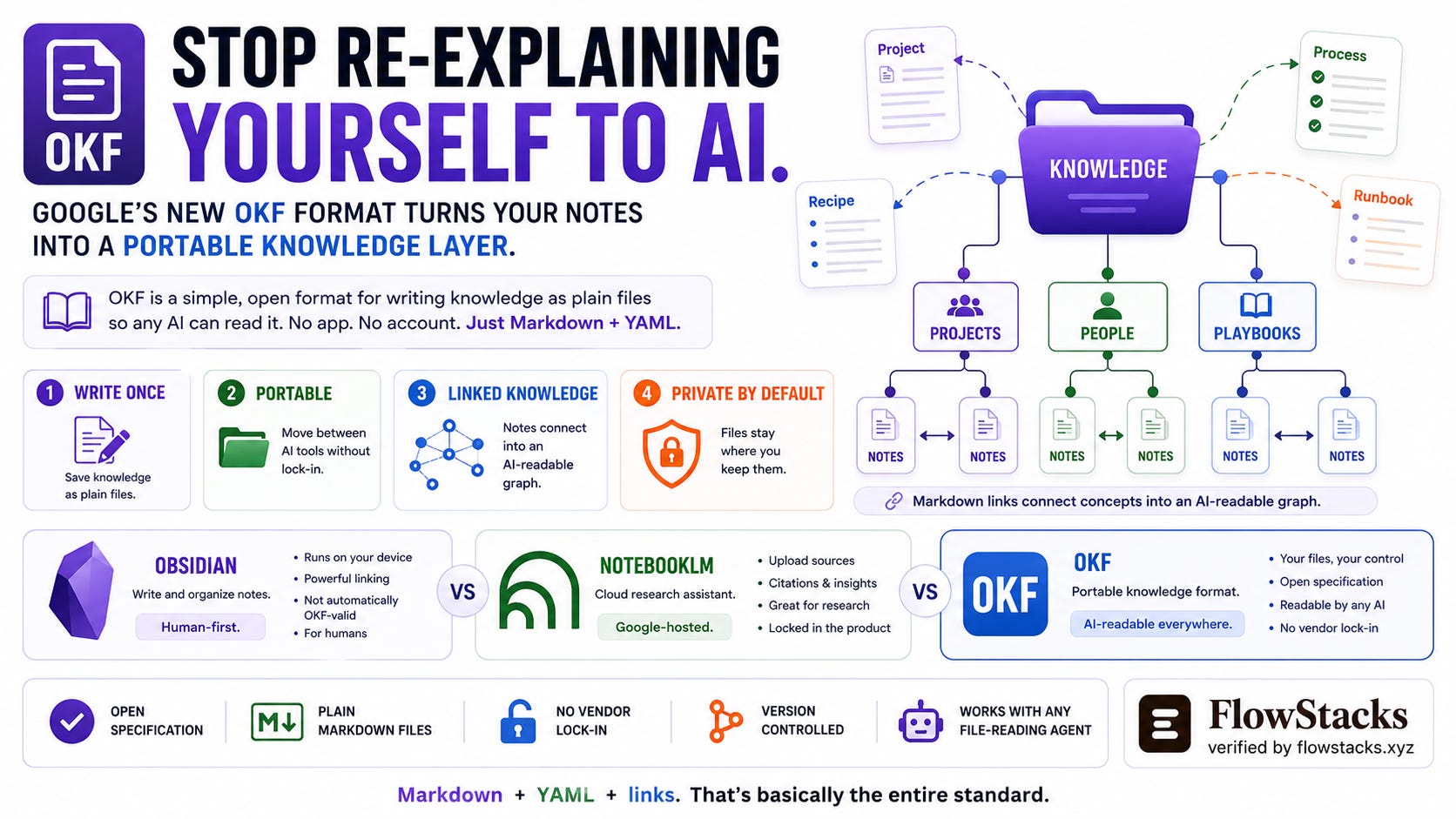
You have probably noticed that you explain the same things to AI tools over and over. The shape of your side project. How do you like emails written? The login steps for that one annoying portal. Your kids’ schedules and who picks up when. Every new chat, every new tool, you retype the context from scratch.
Last week, Google Cloud published something aimed straight at that problem: the Open Knowledge Format, or OKF. It is not an app or a product you sign up for. It is a simple, agreed-upon way to write your knowledge down once, as plain files, so that any AI can read it without you re-explaining. This issue is the plain-English version: what it is, how it compares to two tools you may already know (Obsidian and NotebookLM), and how to actually use it in your own week, including wiring it into an AI assistant.
What OKF actually is
A folder of notes. That is the honest summary. Each note is a normal text file (markdown, the same lightweight formatting used by Notion and most note apps), and each one describes one thing: a project, a recipe, a process, a contact, a playbook. At the top of each file is a tiny label block, and OKF asks for exactly one thing in it, a type, so a machine knows what kind of note it is. Everything else is optional. Notes link to each other with ordinary links, which quietly turn your folder into a little web of connected knowledge.
That is the whole idea. No account, no cloud, no software required. If you can save a text file, you can write OKF. The point is not magic; it is portability: write it once, and any AI tool that can read files can use it, today and after you inevitably switch apps next year.
And it is genuinely open, not a Google product you log into. The full spec (it is one page), three example folders, and a free viewer are all public on GitHub under the permissive Apache-2.0 license, so the format is yours to use, and nobody can fence it off later.
OKF vs Obsidian vs NotebookLM
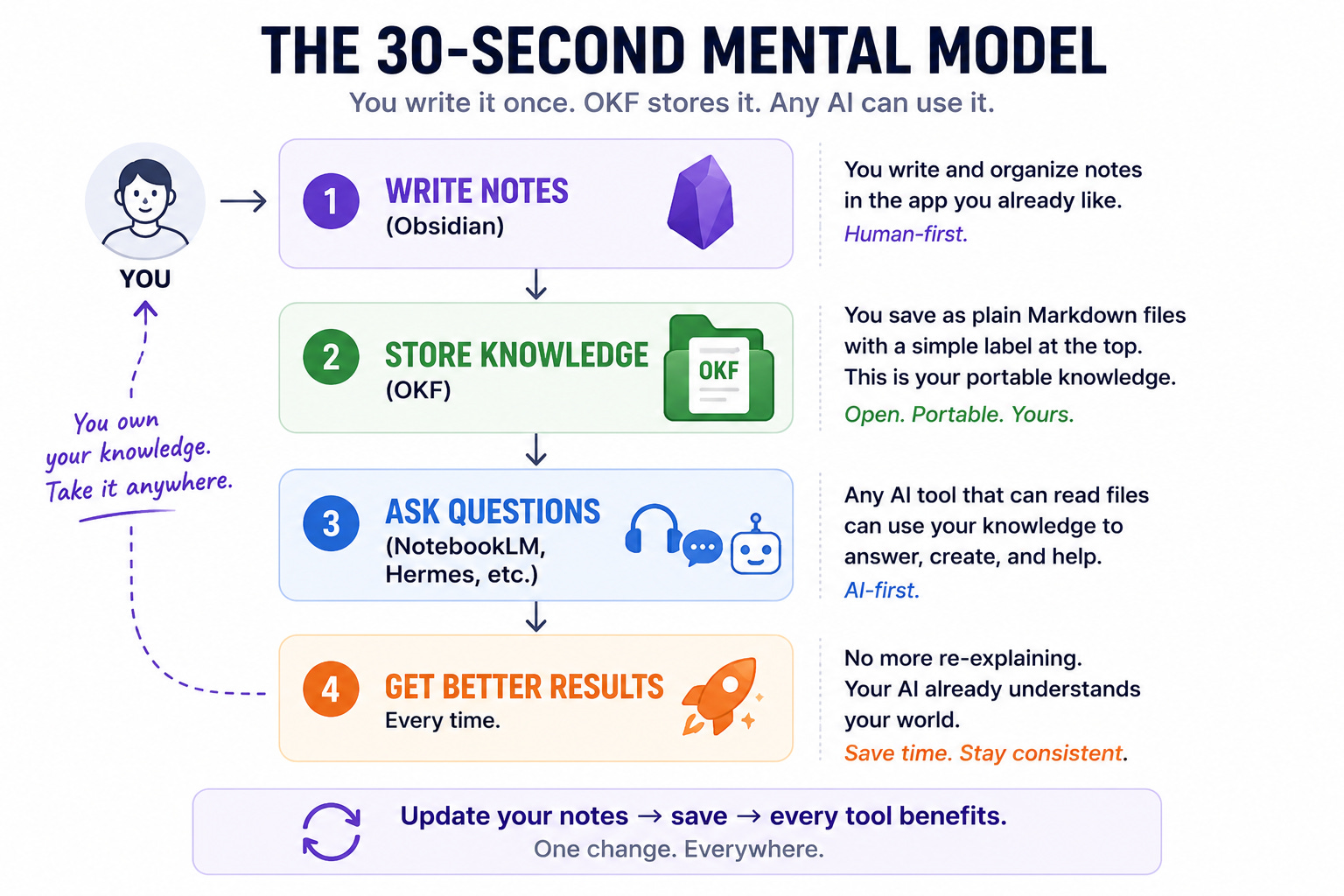
These three get lumped together, but they are different kinds of things, and seeing the difference is what makes OKF click.
Obsidian is an app for you, the human. It keeps a “vault” of markdown notes on your own computer, with that same top-of-file label block and links between notes. If you already use it, OKF will look deeply familiar. The catch worth knowing: an Obsidian vault is OKF-shaped but not automatically OKF-valid, because Obsidian’s default links use its own double-bracket style and its notes do not carry the required type label. So, Obsidian is a lovely place to write the notes, just not a guarantee that a machine elsewhere can read them cleanly.
NotebookLM is a cloud assistant from Google. You upload your sources (PDFs, docs, web pages, even YouTube videos), and it answers questions about them with citations and can even turn them into a podcast-style audio overview. It is genuinely useful for studying and research. The trade-offs: your sources are uploaded to Google’s cloud rather than kept as files you own, and the “understanding” it builds lives inside the product. You cannot pick it up and hand it to a different tool.
OKF is the open middle layer between those two. It is your files, on your machine, like Obsidian, but written in a standard shape that any AI can consume, which is the part that Obsidian and NotebookLM do not give you. It is not an app you read in, and not a cloud you upload to. It is the portable knowledge itself, the thing you own and carry between tools.
A one-line way to hold it: Obsidian is where you write it, NotebookLM is one place that reads it for you in the cloud, and OKF is the format that lets anything read it, anywhere, without lock-in.
How to use it in your own week
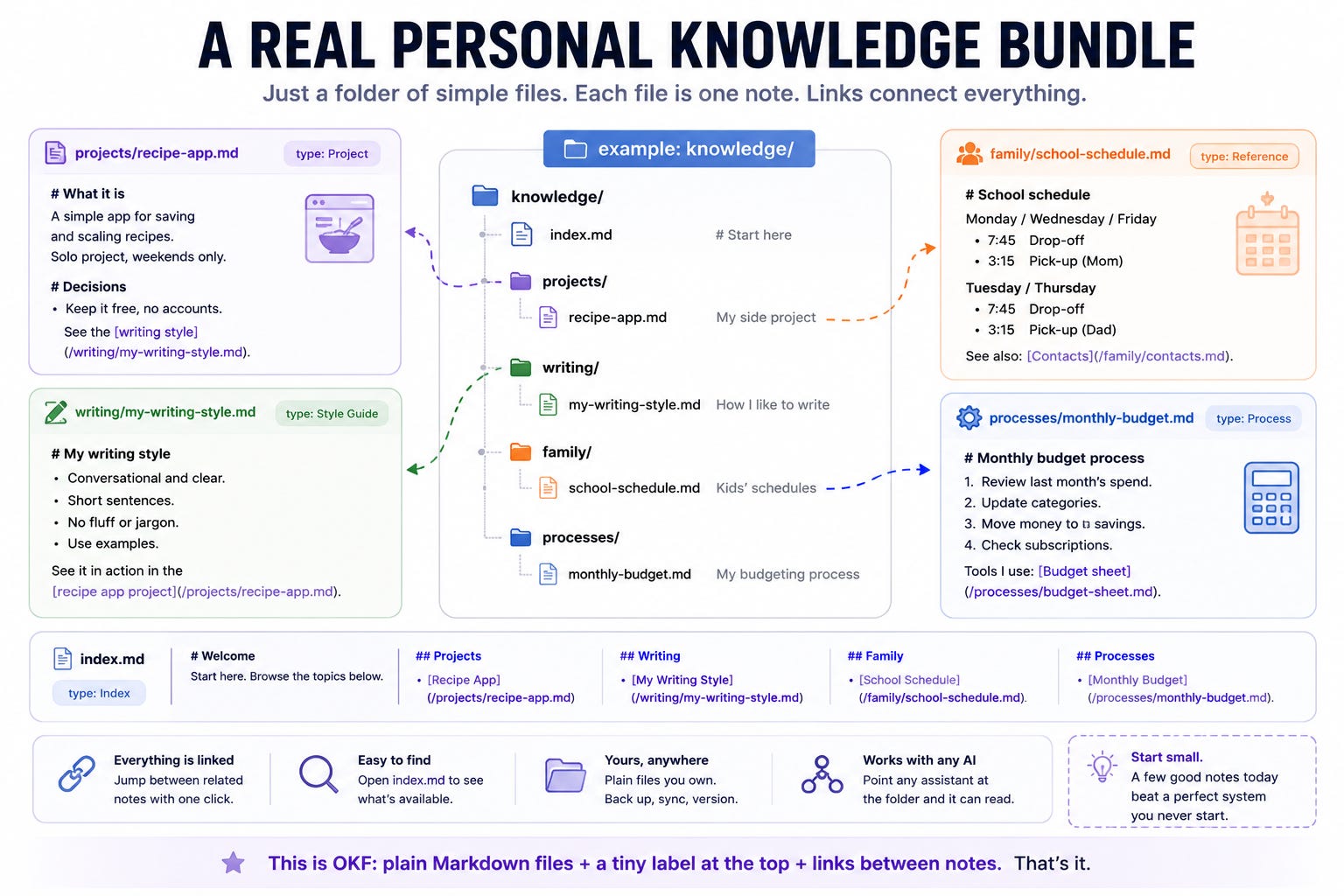
Start a single folder called something like knowledge. Inside it, make one short file per thing you keep re-explaining. Give each a type and a one-line description, and link related ones together. Fifteen minutes gets you a useful starter:
---
type: Project
title: Side project, the recipe app
description: What it is, who it is for, and the decisions I keep forgetting.
tags: [personal, project]
---

# What it is
A simple app for saving and scaling recipes. Solo project, weekends only.

# Decisions
- Keep it free, no accounts.
- See the [writing style](/notes/my-writing-voice.md) for any copy.
Then add an index.md, a plain list of what is in the folder, so a person or an assistant can see what exists before opening everything. If you would rather start from a known-good template, Make a verified knowledge bundle: it comes with a copy-paste prompt and a check that confirms the files are valid.
Where it comes in handy: you sit down with any AI tool, and instead of re-explaining your project for the tenth time, you point it at one file. You ask for a marketing email, and it already knows your voice because that is a note too. You move from ChatGPT to a coding assistant to something new next year, and the knowledge comes with you untouched, because it was never trapped in any one of them.
A fair word on what to keep in it: this is plain text, so it is for reusable context, not secrets. Project facts, processes, preferences, how-tos, yes. Passwords and private numbers, no.
How to plug it into an AI assistant (Hermes and friends)
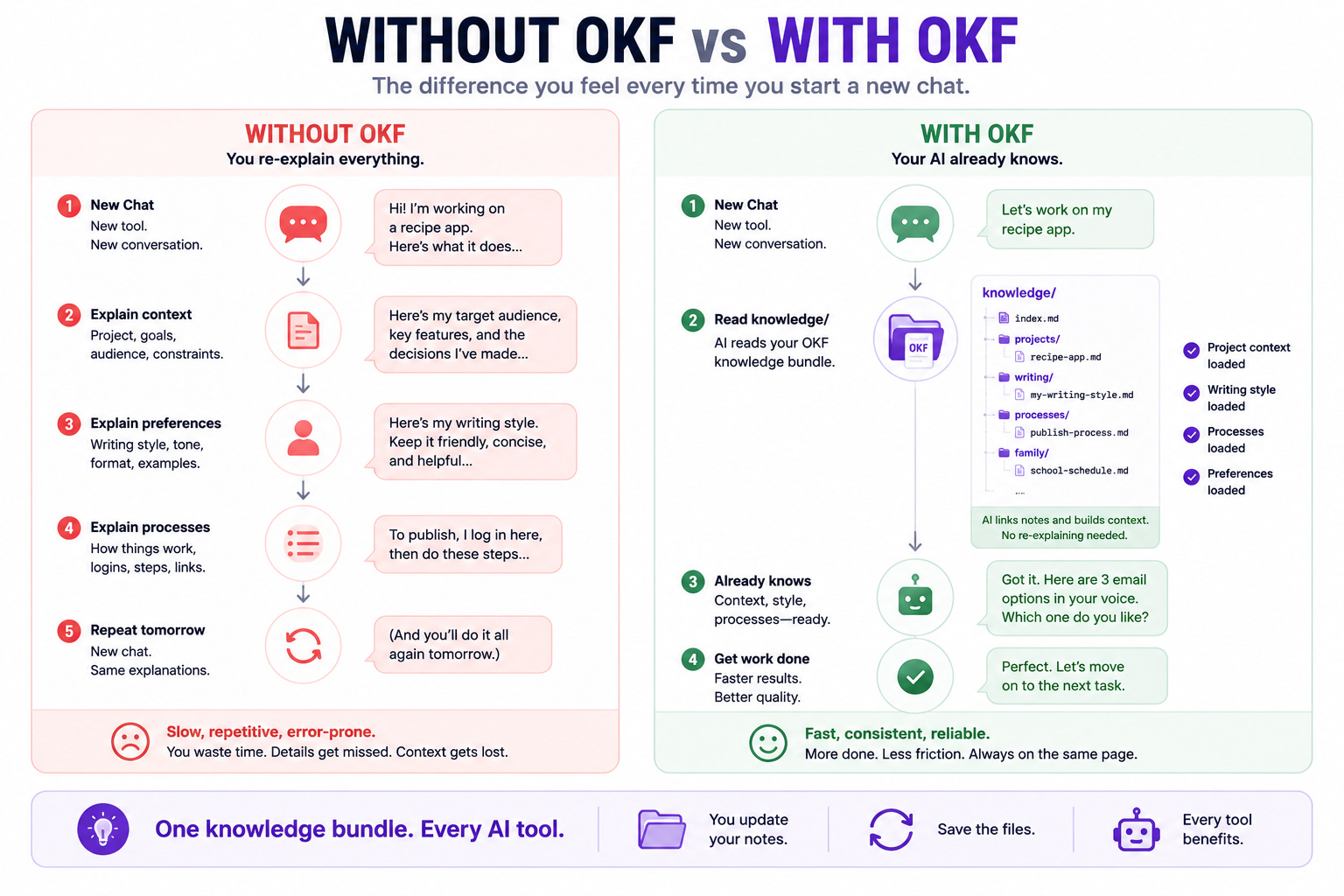
Here is the honest part, because it matters. OKF is brand new, so no assistant has a special “OKF button” yet. You do not need one. Because a bundle is just a folder of text, any assistant that can read files on your computer can use it right now.
With an agent like Hermes (an AI assistant that runs on your own machine), the move is simple: keep the knowledge folder where the agent can see it, and tell it, once, to read knowledge/index.md First follow the links before answering. That is it, and if you want the whole thing as a recipe with a copy-paste prompt, here is how to Wire a knowledge folder into Hermes. The same trick works with the coding assistants people use daily, you drop the folder in your project and add a one-line house rule telling the tool to consult it. No integration, no plugin, because the format was designed so none is needed.
The catch, and the soundness check: pointing an agent at a folder is not automatic memory. The assistant only benefits if you actually tell it to read the notes, and it will only be as right as the notes are, so a stale or wrong note will confidently mislead it. Keep the folder small and current rather than large and rotting. This is the same discipline as a good set of personal notes, with the upside that every tool can now share them.
Where this leaves you
For a year, the advice was to write better prompts. The quieter, more durable move is to write your knowledge down once, in a shape that outlives any single app, and let every tool read from it. OKF is just the agreed-upon shape for doing that, plain files you own, no cloud, no lock-in. Obsidian is a great place to write them, NotebookLM is a great place to ask questions in the cloud when you do not mind uploading, and OKF is the thread that lets the same knowledge move between all of them.
If you try one thing this week, make the fifteen-minute knowledge folder for the project you re-explain most, and point your favorite AI at it once.
We are back Tuesday, then Thursday, then Saturday. Quick favor while you are here: if Gmail keeps filing us under Promotions, move this one over and add me to your contacts, and the rest will land where you can see them. And if you build a knowledge folder, reply and tell me the first note you wrote and which AI you pointed at it. Your notes are the part of this that I look forward to most.
— Cheers!
This is super interesting! I've build a system like this on my own but I'm sure this will soon be standardized, like Skills amd Agents.md